
Betty’s Secrets
Your talking country kitchen: 6,266 recipe references, ingredient searches, and local AI and voice. The complete Windows download includes the AI and speech models.
 RAIN COUNTYRADIO
FROM THE RAIN COUNTY WORKSHOP
Tools for your desktop and your kitchen. One workshop.
DOWNLOAD CENTER
DockLite stays a dock. Ultimate adds DockWave as a pull-out drawer. DockWave also comes on its own. Pick the edition you want—each has its own installer.
Your talking country kitchen: 6,266 recipe references, ingredient searches, and local AI and voice. The complete Windows download includes the AI and speech models.

Windows control center for diagnostics, session reports, and supported repair tools.
Personal shortcut dock for favorite apps, files, folders, and everyday utilities.
The dock, a pull-out DockWave player and an always-handy mini-screen. Separate from regular DockLite.
The standalone media player. Videos, music, images, GIFs, radio and your authorized IPTV streams.
VERSION 1.0.1 · WINDOWS x64New in 1.0.1: Close or Exit stops the server, voice service, and bundled AI. Minimize keeps the app in the tray. Recipe photos retry temporary loading failures.
A little country. A lot of kitchen ideas.
Browse 6,266 Betty Crocker recipe references by meal and available year information. Search ingredients, save exclusions, explore budget ideas, print recipe references, and talk with your kitchen companion. Full cooking directions open at their official source.
Download Betty’s SecretsCompressed Windows EXE · 1.60 GB · AI and voice models includedWindows 10 / 11 · Intel/AMD x64 · about 3 GB free storage and 8 GB RAM recommended · unsigned installer. Runs in your usual browser through a server on your PC. Stop an older running copy before starting this edition.
Local chat and voice need no paid AI account or model download. Source recipe pages, linked photos, ingredient refreshes and shopping need internet access. The Chromium shopping helper is included; your browser must approve it manually. Shopping depends on the source website’s cookie settings and availability. Exclusion checks are guidance, not an allergy-safety guarantee.
Independent recipe reference app; not affiliated with Betty Crocker or General Mills. Recipe content and photographs retain their owners’ rights. Historical first-publication years are shown only when verified.
Installation guide · SHA256 checksum
Voice-service and component sources · Licenses and notices
The bundled voice service is released under GPLv3 or later. Its native audio dependencies include FFmpeg and eSpeak NG; source and license downloads are provided above. Compatible modified libraries may replace the originals.
 VERSION 2.3.4 · WINDOWS
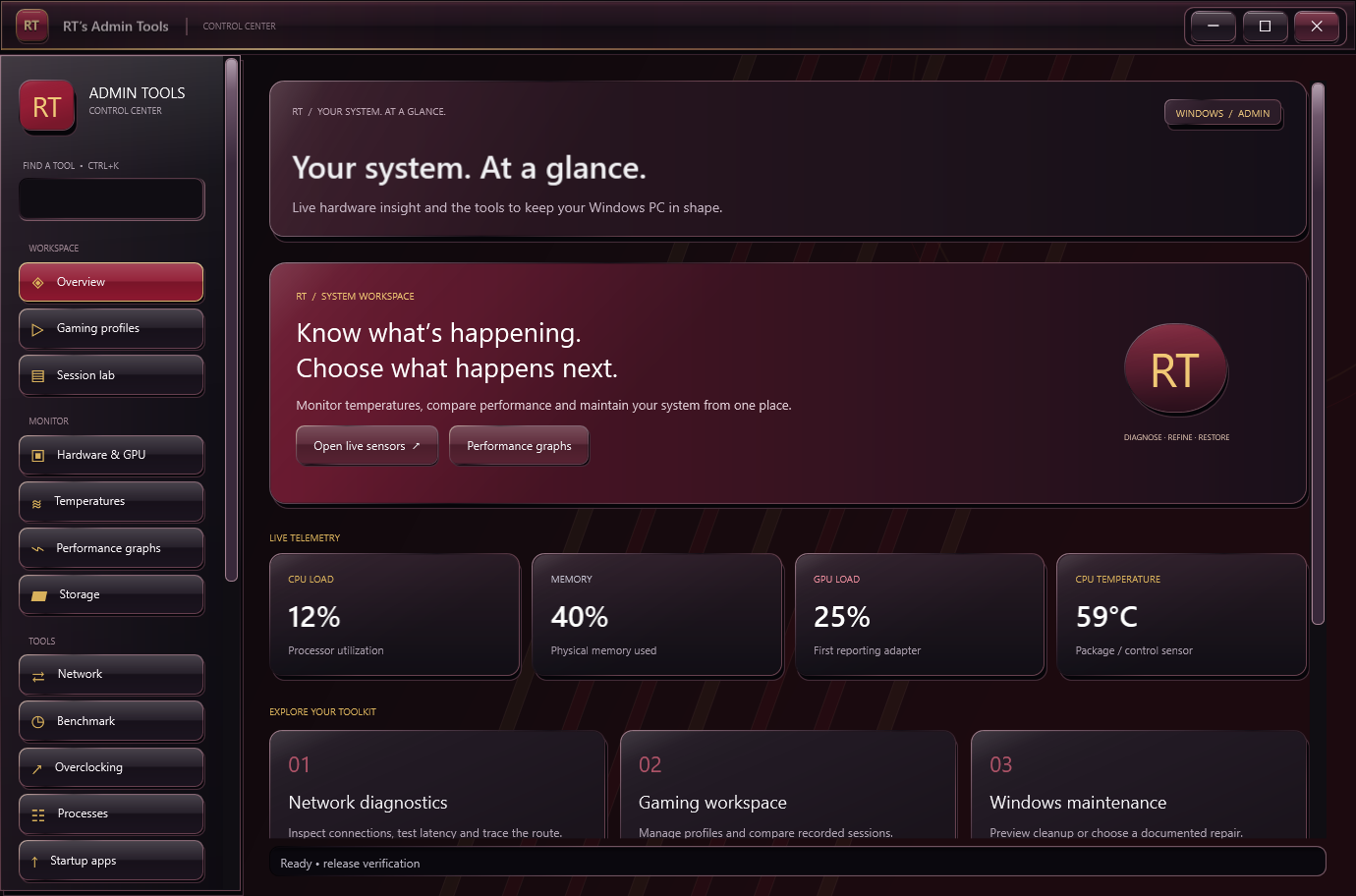
Windows Control Center
A red-and-black control center with gold and silver accents. Inspect your hardware, record connection history, compare sessions and open supported Windows repair tools.
Download RT’s Admin ToolsWindows MSI installer · 57.2 MB · desktop icon includedWindows 10 (1809+) / 11 · x64
Includes the .NET runtime. This release is unsigned; Windows may show a publisher warning.
New in 2.3.4: Support on PayPal opens your default browser; installer dialog fonts and shortcuts are repaired. The 3D styling spans all 17 pages, with raised navigation and buttons, beveled dashboard and tool cards, sculpted headers, inset fields and graphs, metallic table headers and scrollbars. Red and black surfaces retain gold and silver accents, clear focus indicators and readable black dropdowns with white text.
Just the dock. Just right.
Your compact shortcut dock stays its own app—no media player bundled. Pin apps, folders and files; keep seven shortcuts in view and scroll to the rest. Go horizontal or vertical, browse files and make it look completely yours.
Download DockLite 2.2.2Windows MSI · 53.7 MiB · desktop shortcutWindows 10 / 11 · x64 · .NET runtime included · unsigned installer. Existing DockLite shortcuts and settings are preserved.
New in 2.2.2: Support on PayPal is available from Settings and the tray menu. The standalone edition remains compact and independent, with regression-checked alignment, auto-hide, startup, custom colors and clock styles. Background speed, contrast, chrome trim, metallic finish and independent dimensions remain included. Optional Windows startup and verified in-app updates stay included.

Your dock joined a band.
It still remembers where your shortcuts live. Everything in DockLite, plus a DockWave drawer that opens from the dock. Tuck it away and keep music, video, images or GIFs going in the mini-screen.
Download DockLite UltimateWindows MSI · 151.9 MiB · separate desktop shortcutWindows 10 / 11 · x64 · unsigned. Installs beside DockLite with separate settings, startup and update entries. No separate DockWave download is required.
The dock and companion use separate processes and private memory. They still share your computer’s CPU, GPU and internet connection. New in 2.2.2: Support on PayPal is available from the dock menus, and the bundled DockWave 0.4.4 has the same support button. The drawer anchors to your dock on first launch, avoids re-decoding identical mini-preview frames, and retains its media loading improvements. Media features remain preview quality; software decoding is the safe default.

Plays your media. Refuses to judge your playlist.
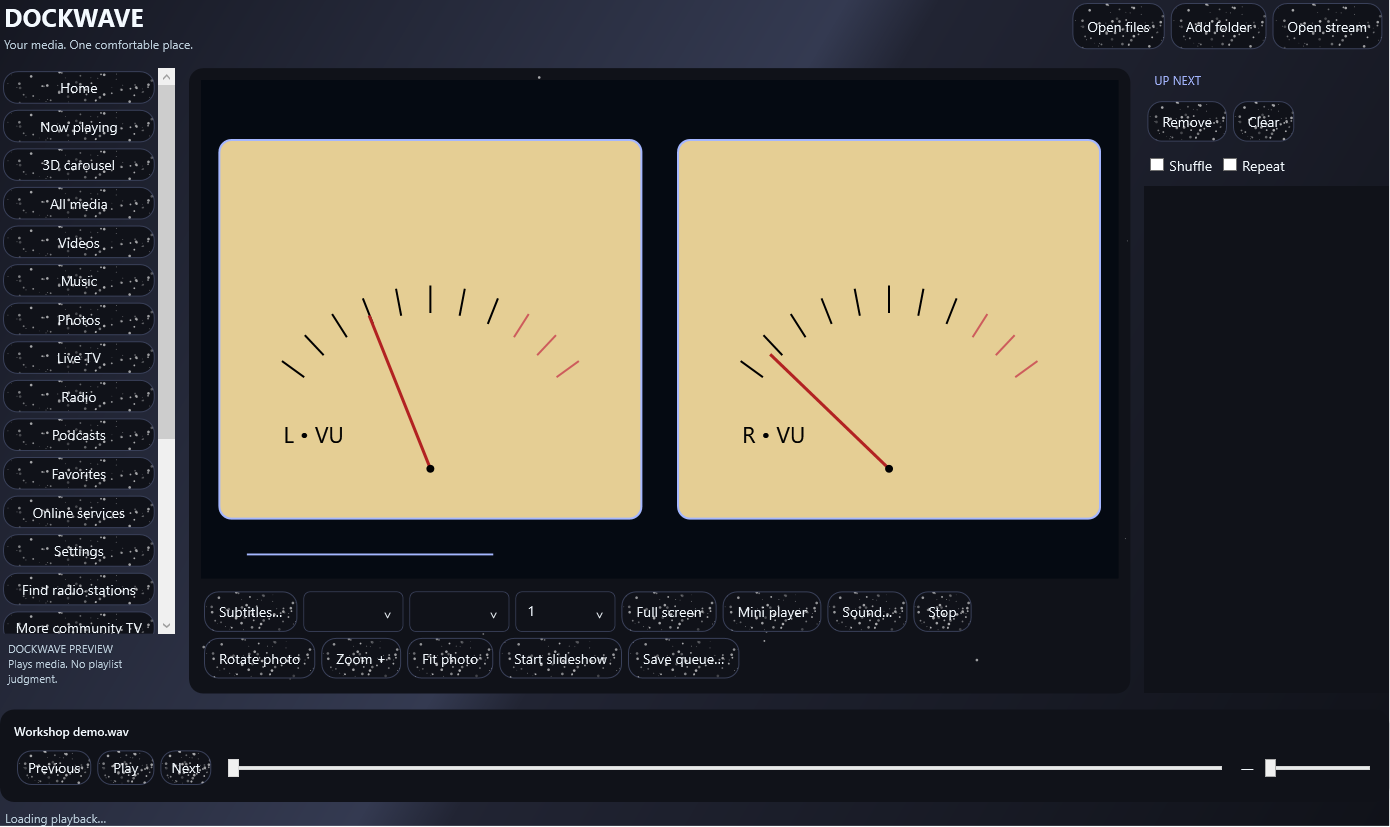
A comfortable home for videos, music, photos and animated GIFs. Scan folders into your library, sort by size or duration, step through files and enjoy a timed 3D carousel. No dock required.
Download DockWave PreviewWindows MSI · 98.0 MiB · desktop shortcutWindows 10 / 11 · x64 · unsigned · runtime included. Upgrades earlier Rain Media / DockWave previews without renaming their saved-library folder.
New in 0.4.4: Support on PayPal opens your default browser. Includes faster repeat image views, reusable isolated thumbnail processing, incremental folder scans, playback priority, GPU-preferred mode with software retry, and one-click safe mode. GPU mode is opt-in and hardware-dependent. Provider websites may require WebView2, accounts or subscriptions. Codec support and stream availability vary; DRM is not bypassed. Only use media you are authorized to access. Download new standalone versions here; no automatic DockWave updater is claimed.
DockLite: shortcuts and desktop tools, no player.
DockLite Ultimate: dock + bundled media drawer.
DockWave: standalone player, no dock.
All three can be installed together. DockLite and Ultimate intentionally keep separate dock preferences. The Ultimate companion and standalone DockWave also keep separate libraries.
These installers are unsigned. Windows may display an unknown-publisher warning; do not disable Windows security. Prefer downloading directly from this domain. Animated previews are captured application interfaces, not remote interactive apps.
The radio website and RT’s Admin Tools remain separate from these desktop apps.